OEM / ODM Wenzhou, Zhejiang, China [email protected]
English Avg. response ≤ 1h Quick Contact
0%

Choosing the right Power Supply is not just about buying the highest wattage available. It means matching dependable output to your device, workload, and future upgrades. A gaming PC with a powerful graphics card has different demands from a quiet office computer or a small home server. The label matters, but so do connector types, efficiency, operating noise, and built-in electrical protections. Small choices matter.

Efficiency deserves attention, though one report cannot answer every buyer’s question. Lawrence Berkeley National Laboratory’s 2024 United States Data Center Energy Usage Report estimates that U.S. data centers used about 176 terawatt-hours of electricity in 2023. It projects demand could reach 325–580 terawatt-hours by 2028. These figures describe whole data centers, not individual power supplies. Still, they show why efficient equipment and sensible power planning matter at scale.

For an individual build, start by checking the combined power needs of the processor, graphics card, drives, and other components. Then compare those needs with a reputable unit’s continuous output, available connectors, and efficiency certification. Leave reasonable headroom for demanding workloads, but avoid paying for capacity your system will never use. A wattage number alone can feel reassuring; it can also mislead. I would verify the exact component requirements before ordering, especially when a graphics card uses newer power connectors. The right choice is the one that fits the real system, not an imagined future one.
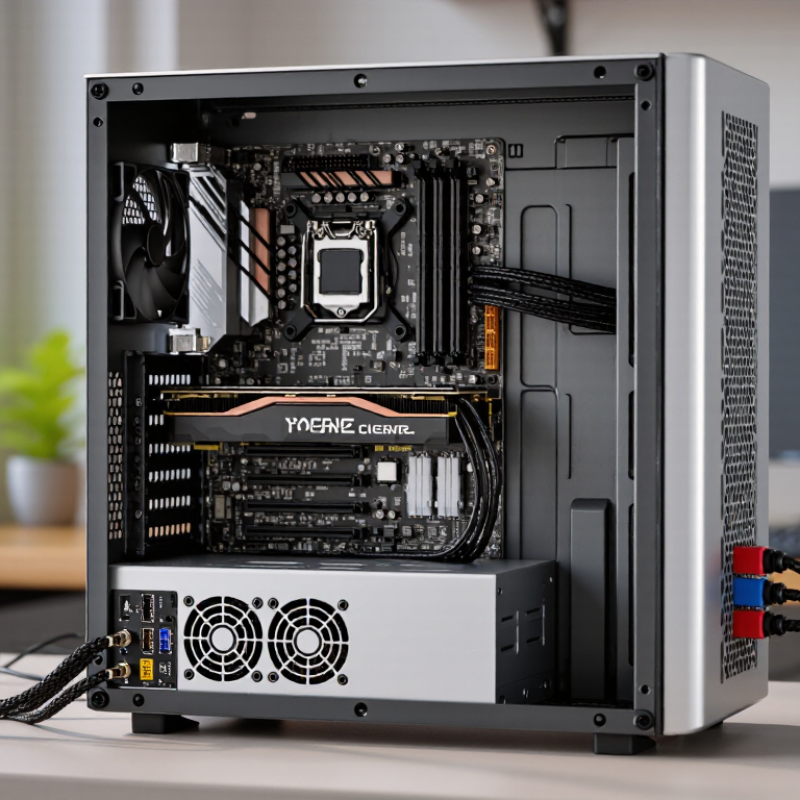
How to Choose the Right Power Supply for Your Needs?

Identify the Power Requirements of Your Device

Start with the device’s rating label or manual, not the power supply already on your desk. Look for the required output voltage, current, and whether the device needs AC or DC. Do not confuse output details with the adapter’s AC input rating. Voltage usually needs to match exactly. The supply’s current rating should meet or exceed the device’s requirement. A higher current capacity does not push extra current into a properly working device. Check the connector size and polarity as well. Plugs may look identical but differ electrically. Small details count.

If the device lists watts instead of amps, divide watts by volts to estimate the required current. For example, a 24-watt device operating at 12 volts needs about 2 amps. This calculation is only useful when the voltage and AC/DC type are already correct. If specifications are missing or unclear, do not guess; check the manual or ask a qualified repair professional. It is easy to overlook a tiny label, and I would recheck it before ordering.

Tips: Photograph the rating label. Note voltage, current, polarity, and plug dimensions. Compare these with the supply’s output label, not just its product description. If anything conflicts, pause and verify.

Calculate the Required Voltage, Current, and Wattage

Read the device label or manual before comparing power supplies. Match the required output voltage and current type, such as 12 volts DC. A higher voltage is not a safe substitute; it may damage the device. Check connector size and polarity too. Small details matter.

Calculate power with watts = volts × amps. A 12-volt device drawing 2.5 amps needs at least 30 watts. The supply’s current rating should meet or exceed the device’s demand; it does not push its full rated current into a compatible load. For several devices on one output, add their expected currents. Then check that the output and total wattage ratings both cover the combined load.

I used to focus only on the wattage number. That missed important limits.

Allow some headroom when the equipment may draw extra current at startup or run continuously. A margin of around 20 percent can be a useful starting point, but the device specifications should guide the final choice. For a 30-watt load, that suggests looking near 36 watts or more, provided voltage and current ratings also fit. Check the supply’s ratings under your actual operating conditions; heat can reduce available output.

If the numbers or connector details are unclear, pause and verify them before powering up.

Choose a Power Supply Type and Form Factor

A power supply’s form factor determines whether it fits your case, while its type describes features such as cable design and cooling. ATX units suit many mid-tower cases, but compact builds may need SFX or another small-form-factor model. Check the case specifications before buying; a unit that is only a few millimeters too long can crowd cables or block a drive bay. Measure twice.

Cable design also affects installation. A fully modular unit lets you attach only the cables you need, which can make routing easier in a tight case. Non-modular models have fixed cables, so unused leads may need careful storage. Semi-modular designs sit between these options. The choice is not just about neatness. A crowded bundle can obstruct airflow near the front of the case, though tidy cables cannot fix poor ventilation elsewhere.

Match the connector set to your motherboard and graphics card, and confirm the unit supports the power connections your components require. Some compact cases have limited clearance around the PSU, so check cable-bend space as well as the unit’s dimensions. It is tempting to choose the smallest option for a cleaner build. That can be a mistake if installation becomes cramped or cooling suffers. A few extra centimeters of space can matter.

Compare Efficiency, Safety, and Protection Features

When comparing power supplies, look beyond the headline efficiency percentage. Efficiency describes how much wall power reaches your components; the rest becomes heat. A rating measured under defined conditions helps compare units, but actual results vary with workload and temperature. Heat matters. A supply that runs cooler may also keep its fan quieter, though room airflow affects that, too.

Safety features deserve equal attention. Check for over-current, over-voltage, short-circuit, and over-temperature protection. These functions can reduce risk when a fault occurs, but their presence on a feature list does not prove strong implementation. Look for clear technical documentation and credible, independent test results. Labels can mislead. Certification marks are useful signals, not substitutes for checking what was tested.

Estimate your system’s power draw, including brief peaks, then choose a unit with a sensible margin. An oversized supply is not automatically more efficient; efficiency changes with load. Also confirm that its connectors match your components and that cables reach comfortably inside the case. I would not judge a supply by one rating alone. Comparing efficiency, protection details, noise, and test evidence takes longer, and sometimes the available information still feels incomplete.

How to Choose the Right Power Supply for Your Needs? — Compare Efficiency, Safety, and Protection Features

Use Case Power Sizing Guidance Efficiency Considerations Safety and Protection Features Other Selection Checks
Office or home computer Estimate the peak draw of the CPU, graphics, drives, and other components; allow some capacity for future additions. Choose a reputable efficiency-certified model if the computer runs for many hours. Efficiency varies with load, so consider typical rather than only peak usage. Look for over-voltage (OVP), over-current (OCP), over-power (OPP), short-circuit (SCP), and over-temperature (OTP) protection. Check motherboard connectors, case dimensions, cooling requirements, and the number of drive power connectors.
Gaming computer Use the graphics-card and system makers’ power recommendations as a starting point; account for brief GPU power spikes and planned upgrades. Compare certified efficiency levels and reviews that measure performance under different loads. Higher efficiency generally means less input power is lost as heat. Verify the listed protections and use the correct, manufacturer-approved GPU power cables. Do not mix modular cables from different power supplies. Confirm the required GPU connector type, cable reach, physical clearance, and adequate airflow.
Workstation or compute system Add the expected peak demand of all processors, graphics cards, storage, and expansion cards; check the supply’s continuous output rating. For long, heavy workloads, compare efficiency at the system’s usual operating load, not just at full load. Check OVP, OCP, OPP, SCP, OTP, and under-voltage protection (UVP), where specified. Review the manufacturer’s operating-temperature limits. Verify CPU power connectors, GPU connectors, available PCIe slots, and whether the system requires a particular form factor.
NAS or always-on system Size for the peak load when drives start up as well as the normal running load; include enough connectors for all installed drives. Pay attention to efficiency at low and typical loads, since an always-on system may spend much of its time below peak demand. Look for documented electrical protections and a suitable operating-temperature range. A power supply does not replace data backups or surge protection. Check drive power connectors, fan noise, case compatibility, and the system maker’s requirements.
Industrial or control equipment Match the required DC output voltage and current to the equipment load, including startup demand and any specified reserve. Compare efficiency across the expected input voltage and load range; confirm performance at the intended ambient temperature. Confirm the required over-voltage, over-current, short-circuit, and over-temperature protections, plus any equipment-specific safety approvals. Check AC input range, output regulation, mounting style, terminal arrangement, and environmental ratings against the equipment documentation.
Laptop or other DC-powered device Use an adapter with the voltage specified for the device and an equal or greater rated current or wattage, as permitted by the device maker. Choose an efficient, certified adapter that meets the device’s charging or operating requirements. Use an adapter with appropriate safety certification and documented protection against faults such as over-current and short circuits. Match connector size and polarity, or confirm USB Power Delivery compatibility and the required power profile. Voltage and connector compatibility are essential.

Selection note: These are general comparison guidelines, not fixed wattage prescriptions. Check the exact requirements of your components or equipment, and verify protection features and certifications in the power supply’s specification sheet.

Check Connectors, Compatibility, and Operating Conditions

A power supply can have ample wattage and still be the wrong fit. Check every connector against the device manual, not just a product photo. A graphics card may need two separate power leads, while a small drive uses a different plug. Never force a connector; its shape and pin layout matter. I find this check easy to rush when a build is nearly finished. That is when small mismatches become frustrating.

Confirm the output voltage, connector polarity, and required current before connecting equipment. For a computer, leave some capacity above the expected load, especially if components may be added later. Then consider where the unit will operate. A dusty workshop, warm cabinet, or cramped enclosure can restrict airflow and raise temperatures. Check the rated operating range and allow room around vents. Listen for unusual noise, too. It may not signal a fault, but it deserves a closer look. Specs do not capture every real-world condition. A cautious compatibility check takes minutes. It can prevent a costly mistake.

FAQS

How do I choose a power supply form factor?

Check your case specifications first. ATX units fit many mid-tower cases, while compact builds may need SFX. Even a few millimeters can crowd cables or block a drive bay. Measure twice.

What is the difference between modular and non-modular cables?

Fully modular units let you attach only the cables you need. Non-modular models have fixed cables that need storage. Semi-modular designs offer a middle ground. Less clutter helps, but it cannot fix poor ventilation.

How can I check whether the power supply connectors fit?

Compare each connector with your motherboard and graphics card manuals. A graphics card may need two separate power leads. Check the shape and pin layout carefully. Never force it.

Should I check cable space inside a compact case?

Yes. Measure the unit and check room for cable bends near the PSU. A snug fit may look tidy, but installation can become frustrating. I sometimes overlook this until the last cable.

Is high wattage enough to ensure compatibility?

No. Confirm the output voltage, connector polarity, and required current for your equipment. A unit can provide ample wattage and still be the wrong fit.

How much extra capacity should I allow?

Leave some capacity above the expected computer load, especially if you may add components later. The exact needs depend on your parts. Do not guess from wattage alone.

What operating conditions should I consider?

Check the rated operating range and allow space around the vents. Dusty workshops, warm cabinets, and cramped enclosures can restrict airflow and raise temperatures. Specs miss some real-world details.

What should I do if the power supply makes unusual noise?

Listen closely and take a closer look. Noise does not always mean a fault, but it deserves attention. I might be too quick to dismiss it.

Conclusion

Choosing the right Power Supply starts with understanding the device’s electrical requirements and how it will be used. Check the specifications for its required voltage and current, then calculate the wattage needed by multiplying those values. Allowing some capacity beyond the device’s typical demand can help the supply operate reliably without being unnecessarily oversized.

Next, select a power supply type and form factor that suit the installation and operating environment. Compare efficiency ratings and look for appropriate safety features, such as protection against overcurrent, overvoltage, and overheating. Confirm that the connectors match the device and that the supply is compatible with its electrical and physical requirements. Finally, consider operating conditions such as temperature, ventilation, and available space. A careful check of these factors helps ensure dependable performance and a suitable fit for the intended application.

Eleanor

Eleanor

Eleanor is a professional marketing specialist with a strong understanding of the company’s products, customer needs, and the practical details that help people make informed decisions. She regularly contributes expert articles to the company website, turning product knowledge and industry insights......